AI & Software DevelopmentNeuro Oct 26, 2026 - 5 min read
Dash: The Terminal-Native AI Coding Agent by Neuro (Install, Features, NVIDIA NIM & Docs)
Dash is a terminal-native AI coding agent by Neuro. It reads and edits your project files, runs commands with your approval, and works with the NVIDIA NIM API using your own key. Learn how to install and use it.
2 images
Dash: The Terminal-Native AI Coding Agent by Neuro (Install, Features, NVIDIA NIM & Docs)
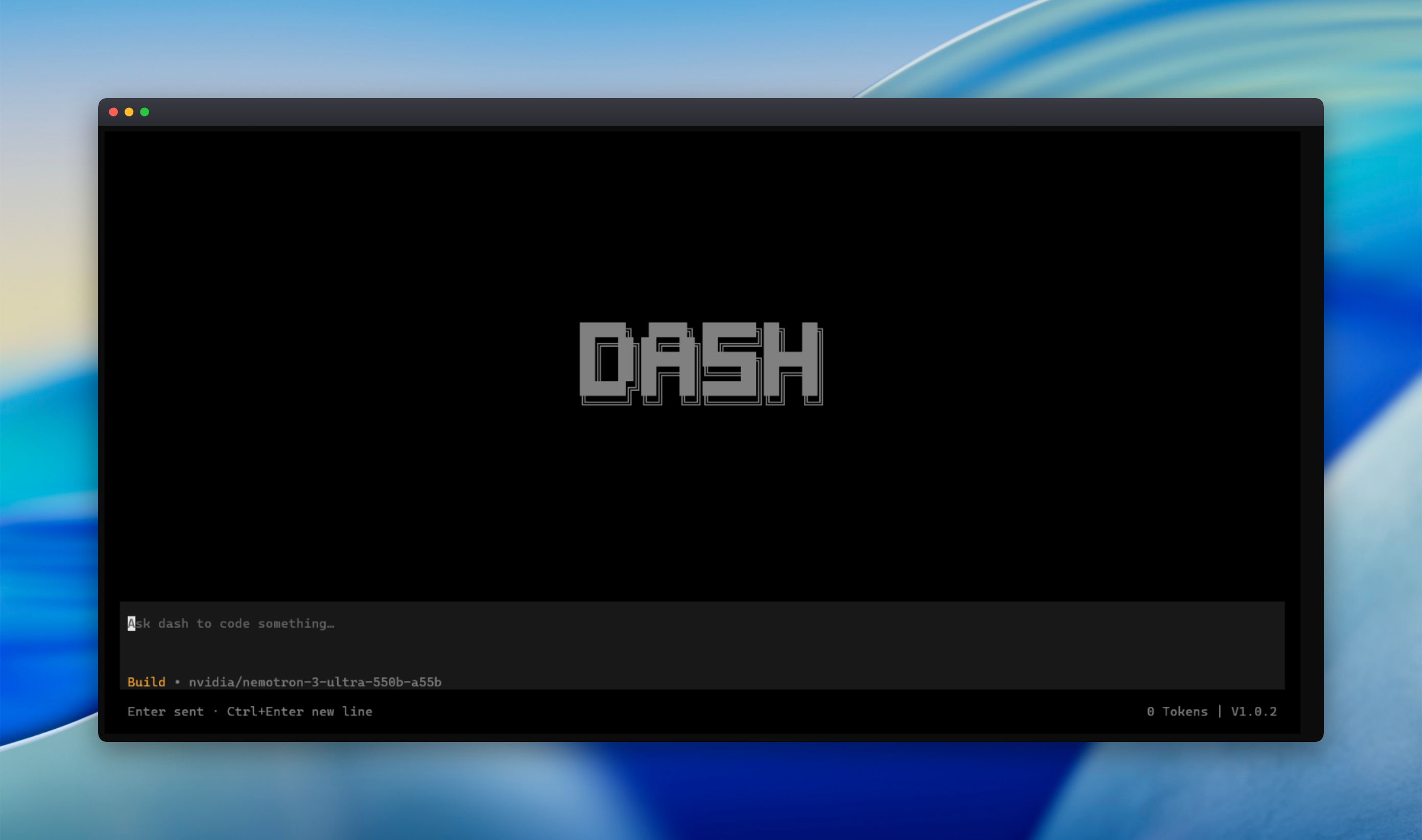
Dash is an AI coding agent built by Neuro that runs directly in your terminal. Install it once, open it in any project folder, and work with an assistant that can read and edit your files, search your code, run commands with your approval, and keep track of its own plan, all inside one interactive terminal interface (TUI).
What Is Dash?
Dash is an AI-powered coding agent for developers who want to work from the terminal. It runs an agent loop in your project folder: it reads files, plans the work, and applies edits while you review what happens. Tool rows show every read, edit, and search as it runs.
You can ask Dash to:
- Fix a failing test
- Refactor a module
- Explain a code path
- Search and summarize your codebase
Install Dash in 30 Seconds
Dash requires Node.js 20 or newer.
bashnpm install -g "@neuro.corp/dash"
cd my-project
dash
Then connect your NVIDIA API key inside the TUI and start asking Dash to code.
Key Features
- Reads and edits files in your workspace, with exact text edits and multi-edit support
- 24 built-in tools, including file, search, git, diagnostics, and web tools
- Task checklist for multi-step work, so long jobs stay organized
- Checkpoints that record file state before edits, so you can roll back changes
- Structured git operations: status, diff, log, commit, branch, and checkout
- Diagnostics: run lint, typecheck, or build and get structured errors back
- Web tools: search the web and fetch pages as markdown
- Sessions and persistent memory across your work
- No IDE extension and no browser tab, since everything happens in the terminal
You Stay in Control
Dash gives the model a toolset but keeps the decisions with you:
- Every shell command needs your explicit approval
- Reads, searches, and workspace edits run without ceremony
- File writes outside the workspace and destructive file operations always ask first
- Checkpoints make changes reversible
This approval-based design makes Dash straightforward to evaluate on real projects.
AI Provider: NVIDIA NIM
Dash has first-class support for the NVIDIA NIM API, an OpenAI-compatible endpoint. You bring your own nvapi_ key, which you create from your NVIDIA account at build.nvidia.com. Dash fetches the live model list for your account, and it falls back to Nemotron models if the list can't be loaded. Use /models to see everything your key can access.
Privacy and API Keys
- Dash runs on your machine, and your project stays where it is.
- When you use AI features, your prompts and the project context Dash assembles are sent to the provider you configured.
- Your API key is stored locally and encrypted (AES-256-GCM) at
~/.dash/config.json. - The key is never printed and is only sent as the bearer token to the provider.
Read more in the docs: How keys are stored.
☕ Enjoying Dash?
Dash is built by a small team. If you find it useful, you can support our work and help us keep building.

How Dash Works
- Install and connect. Install from npm, then paste your NVIDIA API key in the TUI. It's saved encrypted on your machine.
- Open your project. Launch
dashfrom any project folder, and it reads your files and plans alongside you. - Ship from the terminal. Review tool activity, approve commands, verify with your linter and tests, and commit without leaving the TUI.
Who Is Dash For?
- Developers who live in the terminal. If your workflow is a shell, an editor, and git, Dash fits in without changing it.
- Teams adopting AI coding carefully. Approval-based command execution, rollback checkpoints, and a locally encrypted key make Dash easy to evaluate.
Current Limitations
Dash is an early release, and the documentation is clear about what it doesn't do yet:
- The current release ships a Windows
dash.exebinary, so it targets Windows hosts. - It supports one AI provider: NVIDIA (NIM API). More providers aren't supported yet.
- API keys are set up interactively in the TUI, with no headless or non-interactive mode in this release.
- Model availability depends on the models NVIDIA serves for your API key.
Requirements
- A Windows machine (Windows Terminal, PowerShell, or cmd)
- Node.js 20 or newer
- An NVIDIA API key
Dash Documentation
The docs cover installation, provider setup, tools, and troubleshooting, and are verified against the current release:
- Introduction
- Installation
- Quick Start
- Basic Usage
- AI Providers
- API Keys
- Environment Variables
- Configuration Options
- Available Tools
- Project Files
- Commands and Tool Execution
- Troubleshooting
- FAQ
Official Links
FAQ
What is Dash? A terminal-native AI coding agent by Neuro.
How do I install Dash? Run npm install -g "@neuro.corp/dash", then dash in your project folder. Node.js 20+ is required.
Which AI provider does Dash use? The NVIDIA NIM API, with your own API key.
Is it safe to let Dash run commands? Every shell command requires your explicit approval, and edits are recorded as checkpoints you can roll back.
Does Dash work on Mac or Linux? The current release ships a Windows binary, so it targets Windows.
Where is my API key stored? Locally and encrypted (AES-256-GCM) at ~/.dash/config.json.
Last updated: October 26, 2026. Features and platform support may change, so check the official docs.
#dash#dash-ai-coding-agent#dash-cli#dash-cli-coding-agent#dash-terminal-ai#dash-coding-agent#dash-neuro#neuro-dash#neuro-corp-dash#neuro-corp#ai-coding-agent#terminal-ai-coding-agent#cli-coding-agent#ai-coding-assistant-terminal#terminal-native-ai#ai-agent-for-developers#nvidia-nim-coding-agent#nvidia-nim-api#nvidia-nemotron#nemotron-coding#npm-install-dash#neuro-corp-dash-npm#dash-docs#dash-installation#dash-quick-start#dash-api-keys#dash-checkpoints#dash-rollback#ai-coding-tui#developer-tools#ai-pair-programming#windows-ai-coding-agent
Found this useful?
Support our work with a coffee.
Share this article